
Zerofeex user guide for dYdX
Learn step-by-step how to connect your account, log in, and execute smart orders with dYdX. This guide includes visual examples to help you understand each part of the interface.
01. Connect your account to dYdX
Go to dYdX Official Site
Connect your wallet (Metamask, Ledger, Rabby, etc.).
Deposit at least $20 USD to activate your account.
Save your secret phrase securely; it will be used by the bot to access locally.
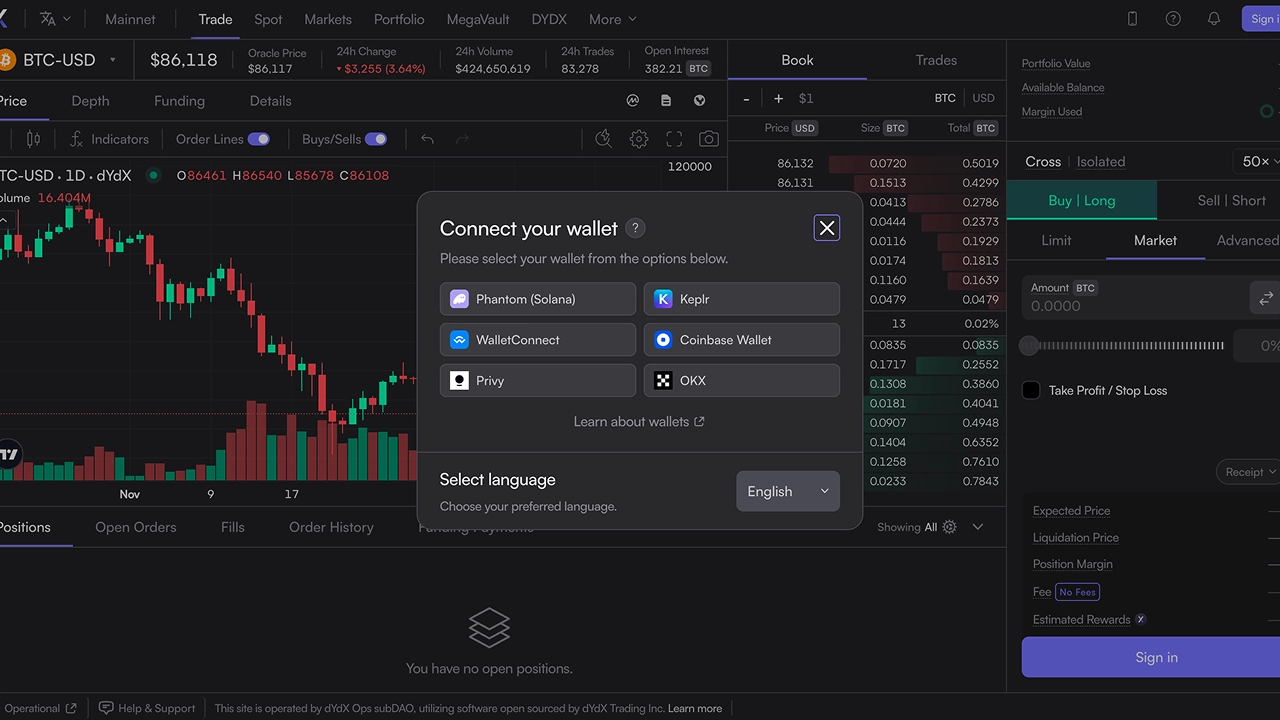
Connect wallet
Select your wallet from the dYdX interface.
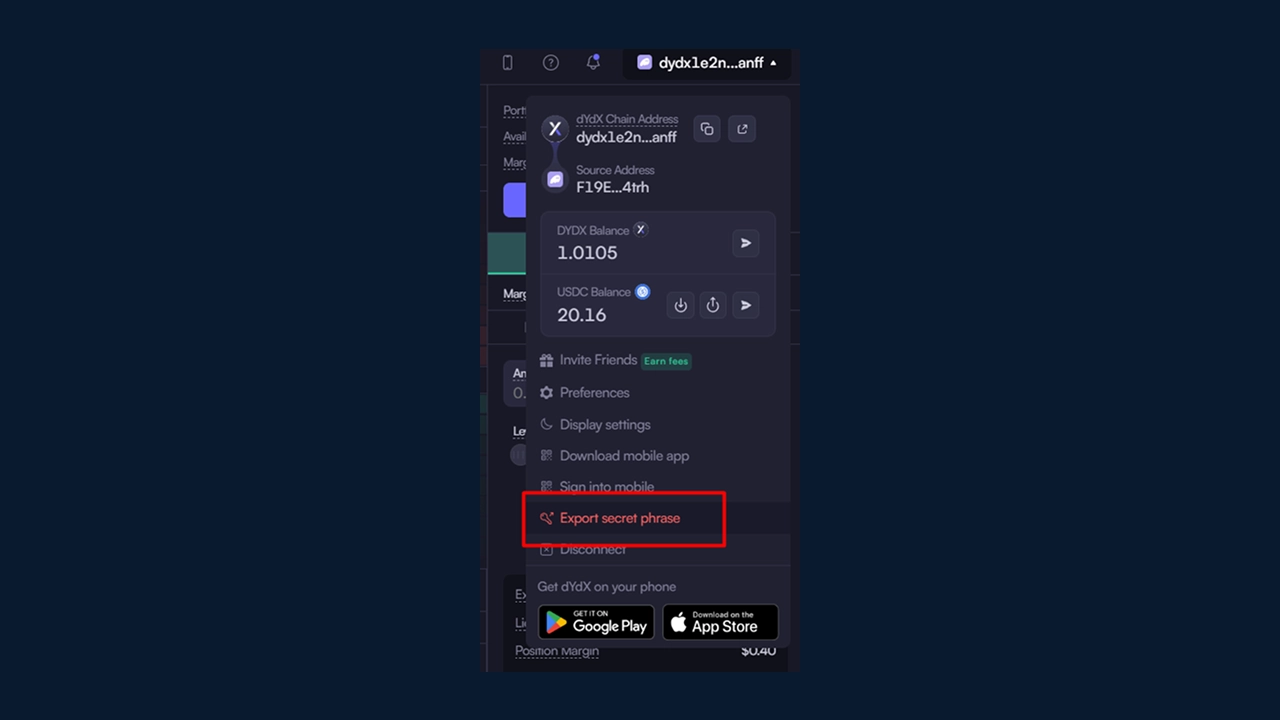
Export secret phrase
Keep your secret phrase safe.
02. Log in to the Bot
Open the bot application on your computer.
Enter your secret phrase associated with dYdX
The bot will display your address and available balance.
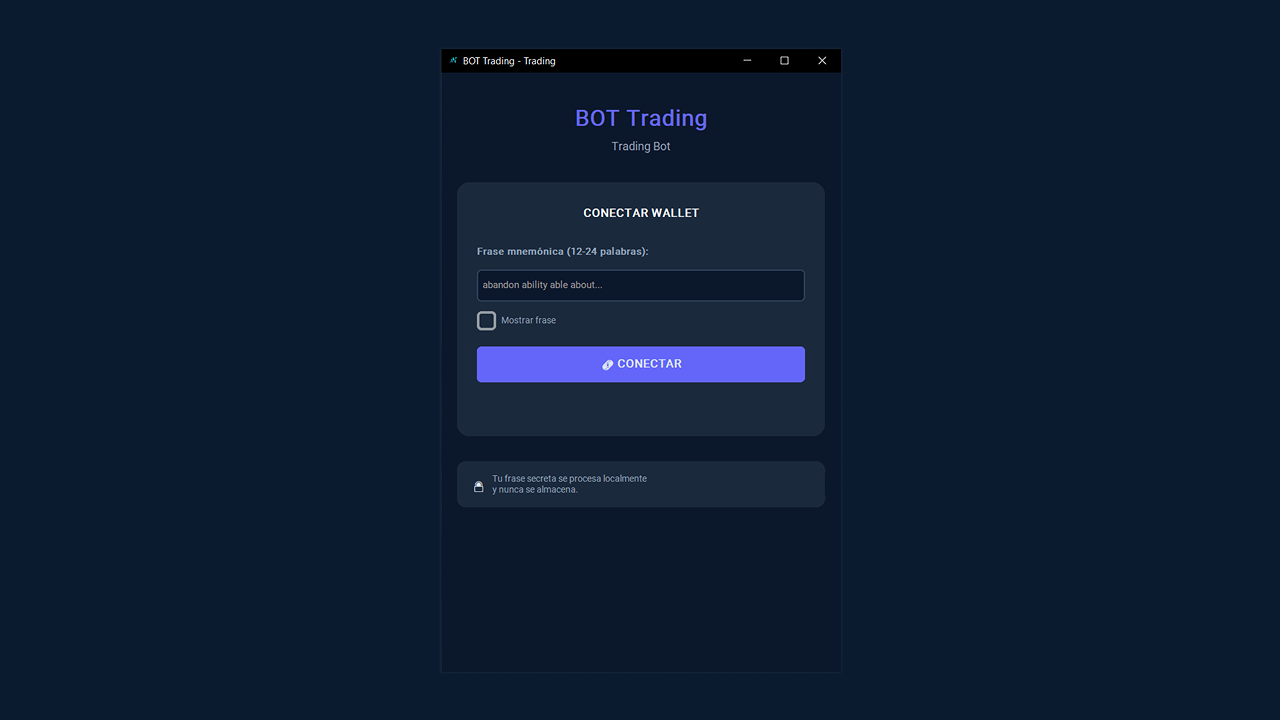
Authentication screen
Secure access via local secret phrase.
03. Bot Interface
Once logged in, you will be able to view the main sections of the bot: balance, calculator, daily trades and order panel.
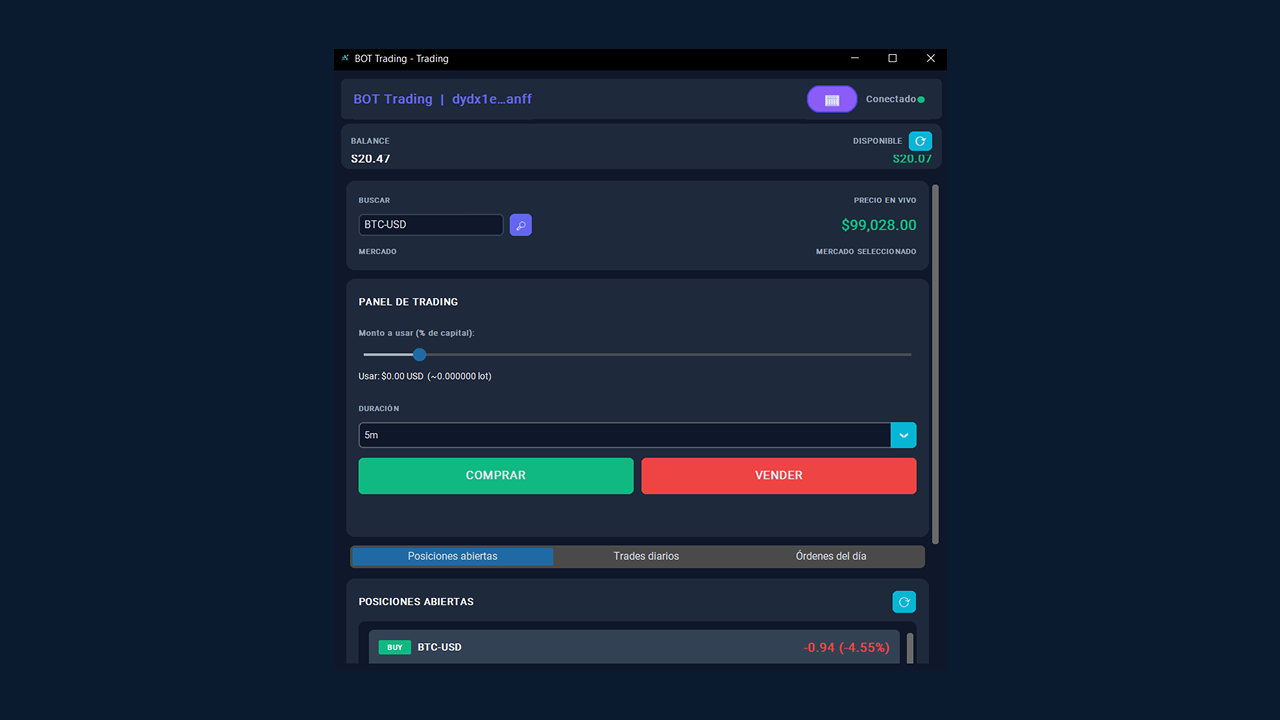
3.1 Overview of the panel
Displays the user's balance, PnL, and active orders.
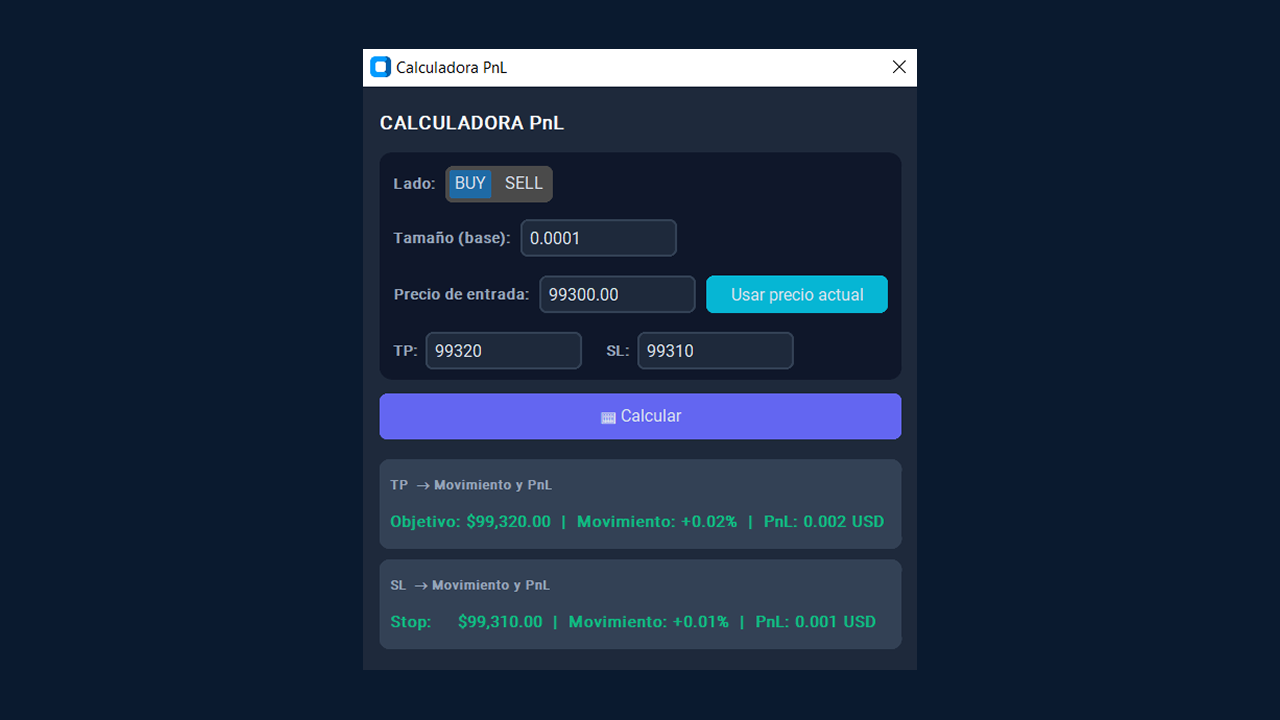
3.2 PnL Calculator
Calculate the approximate profit or loss for each trade.
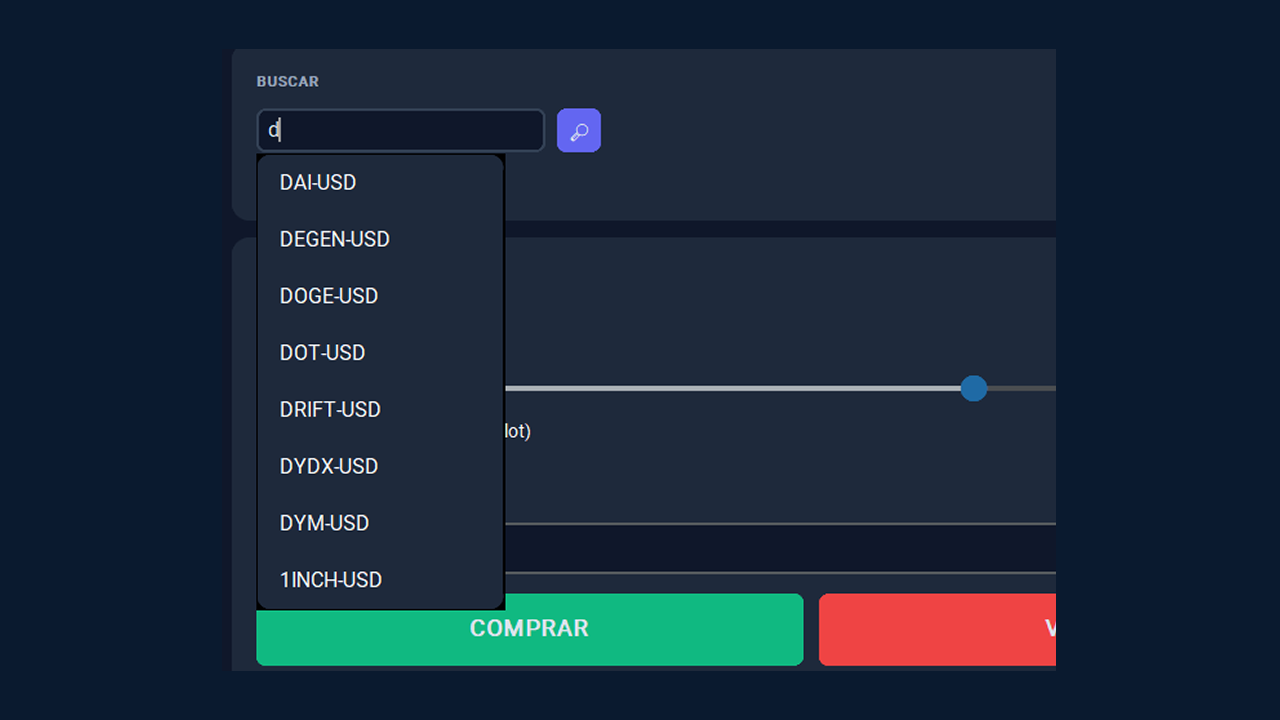
3.3 Market panel
List of available pairs and real-time prices.
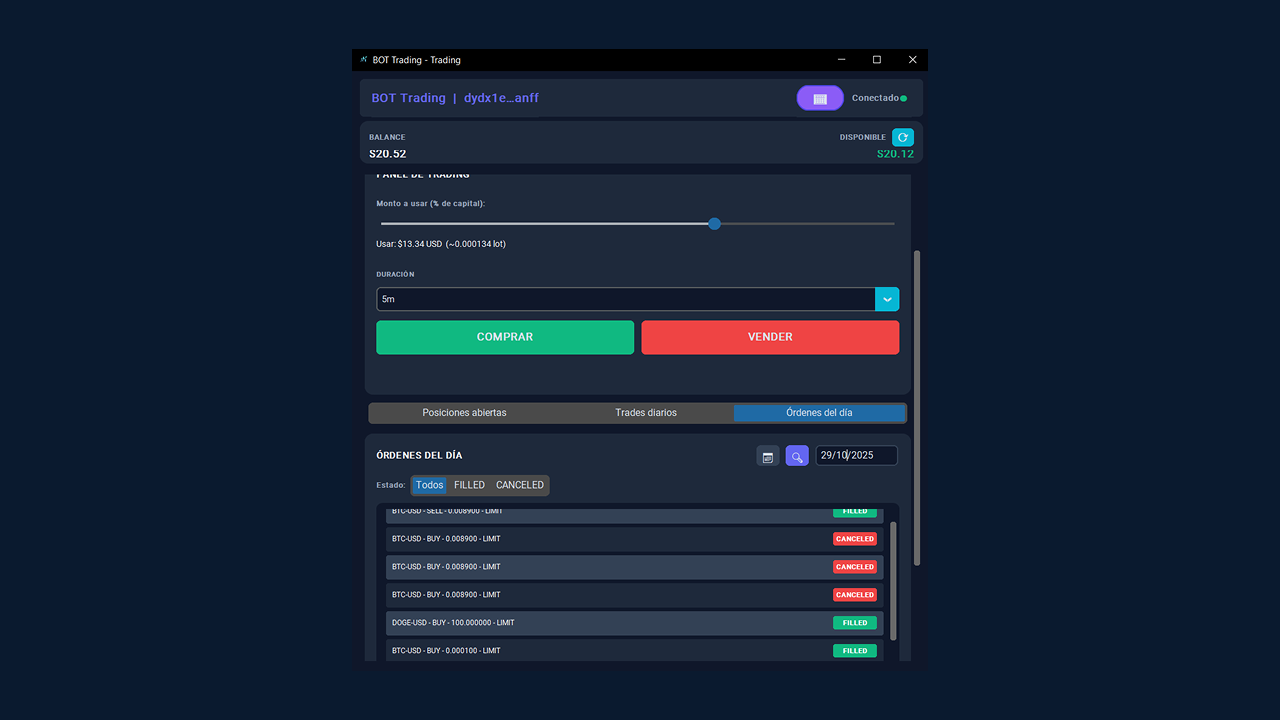
3.4 Orders of the day
View executed and pending orders.
3.5 Orders of the day
View executed and pending orders.
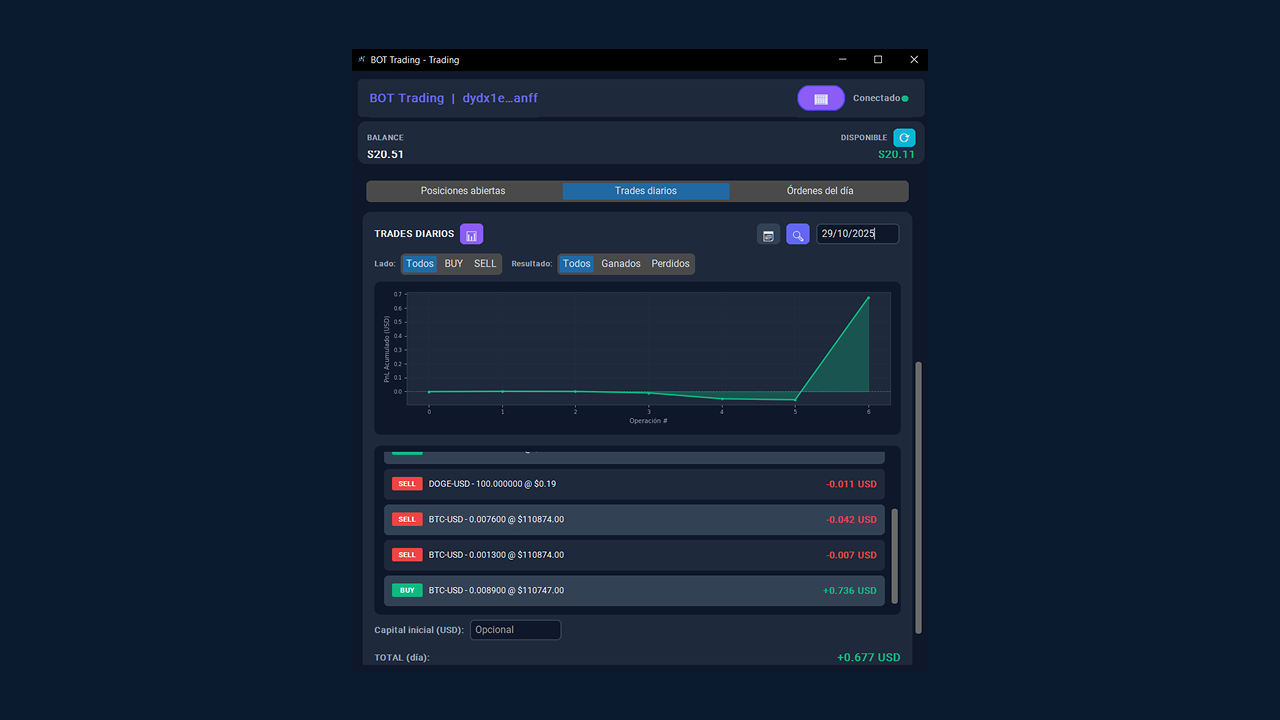
3.6 Daily performance
Graph of percentage and amount of gains or losses.
04. Integrated calculator
Use the built-in calculator to project profit or loss before placing any trade. Simply enter the entry price, exit price, and trade size to view the estimated PnL.
PnL Calculator
Integrated tool to estimate results before trading.
05. Send LIMIT orders
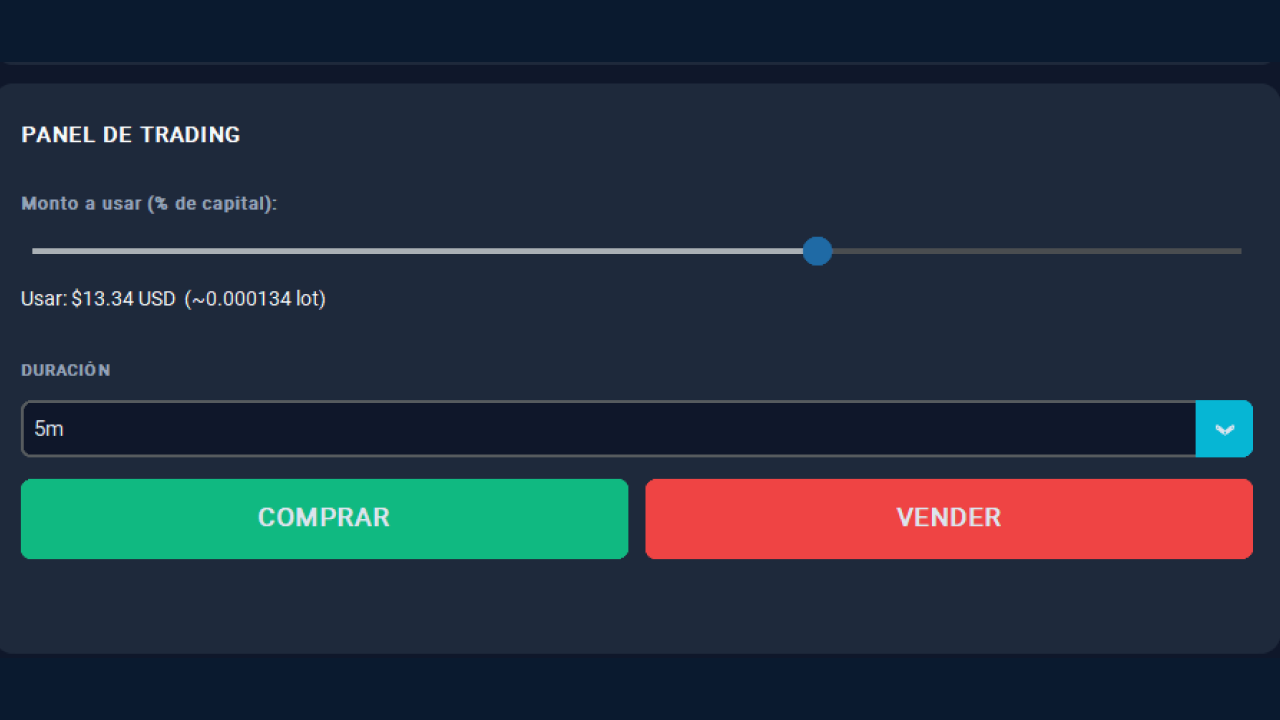
Send buy or sell LIMIT orders with pinpoint accuracy. Adjust the trade size with the slider, using a percentage of your available capital. Orders are executed close to the market price to maximize efficiency and risk control.
LIMIT order panel
Visual example of automatic limit order placement.
You can now trade with Zerofeex on dYdX.
Check network conditions and keep your application updated for optimal performance.