
Zerofeex user guide for hyperliquid
Learn step by step how to connect your account, generate your Private API Key and link BotTrading to execute automatic orders within Hyperliquid.
01. Connect your wallet
Connect your wallet (Metamask, Rabby, Ledger, etc.).
Deposit at least $10 USD to activate your account.
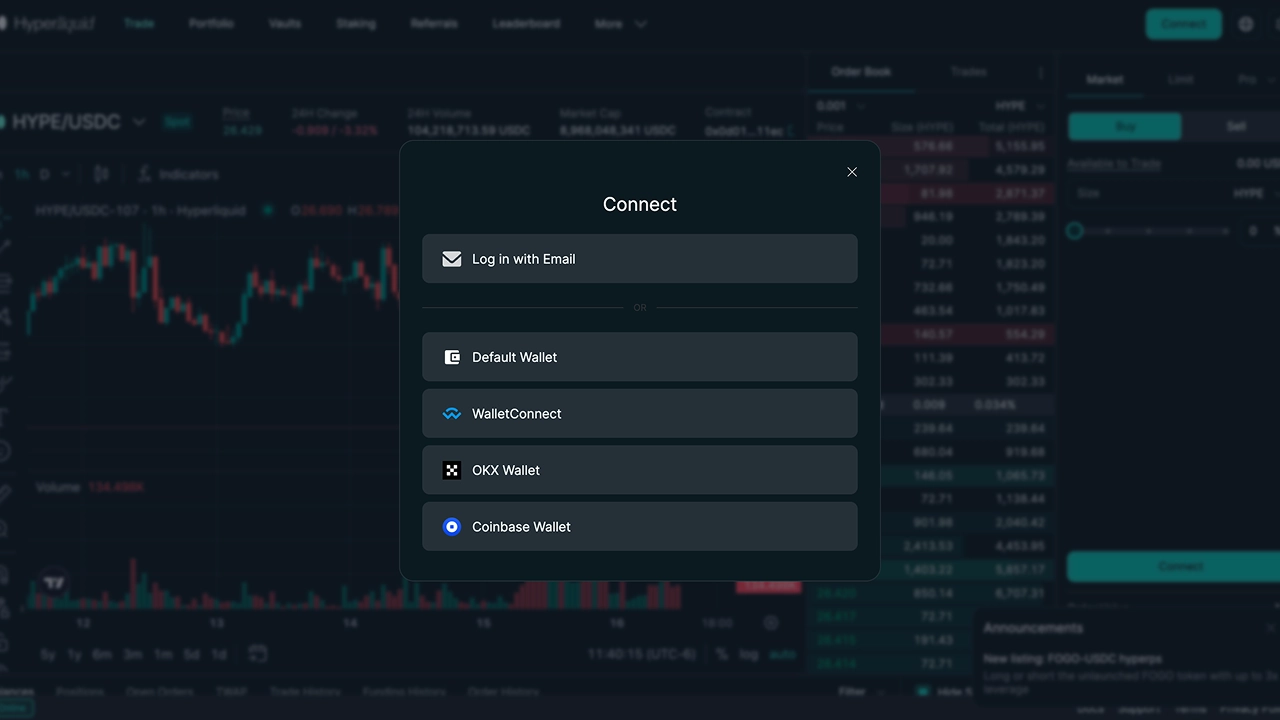
Wallet connection
Access Hyperliquid and link your wallet to get started.
02. Generate your Private API Key
Go to Hyperliquid API
Give your API a name and click Generate
Then select Authorize API Wallet.
Define the days of validity of the API.
Copy the Private Key and save it it cannot be recovered later.
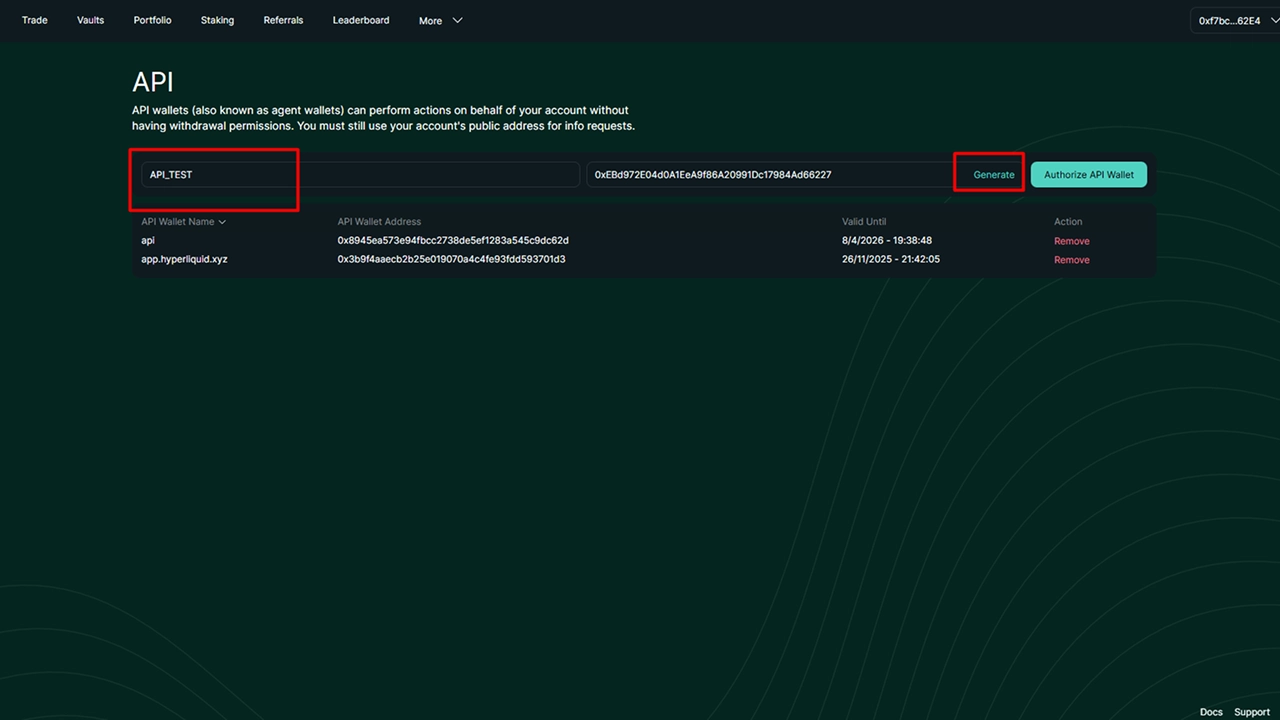
2.1 API Key Creation
Example of how to generate the Private API Key from the Hyperliquid platform.
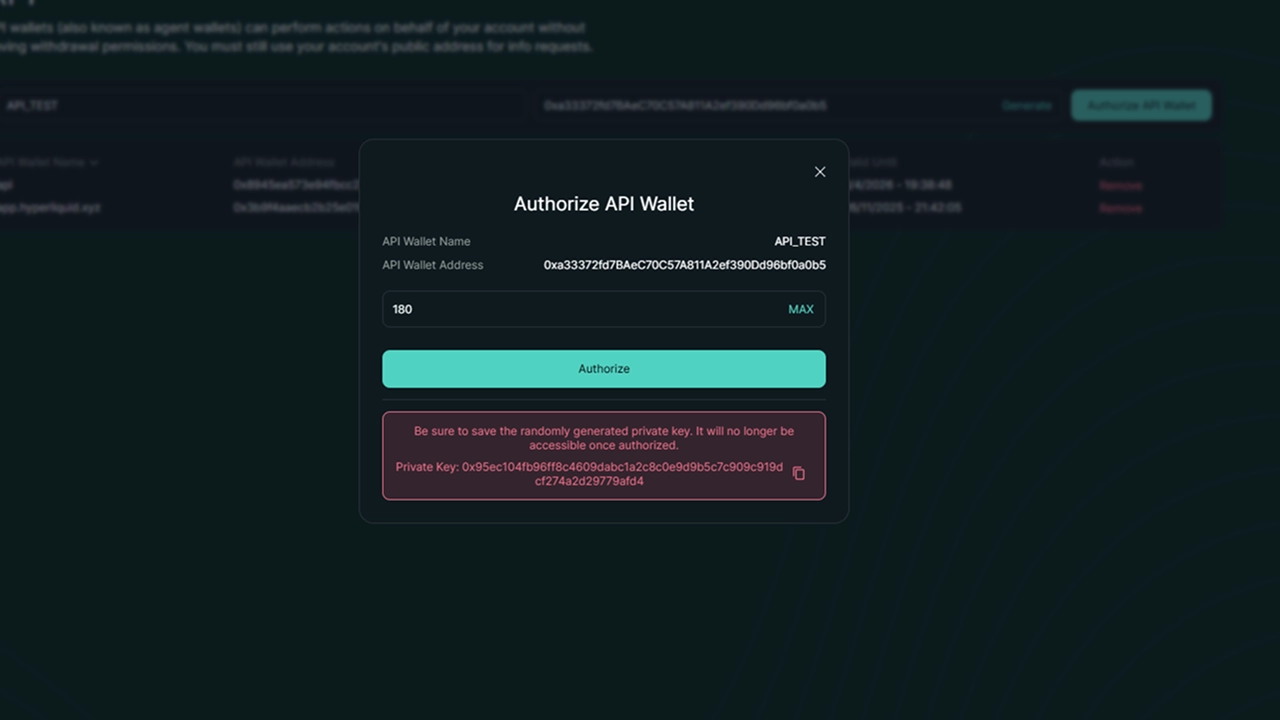
2.2 API Key Authorization
Screen where the API Key generated to link it to the bot is authorized.
03. Link the bot to your account
Open the bot application.
Enter your wallet address.
Paste the generated Private Key.
Click Connect to establish the connection.
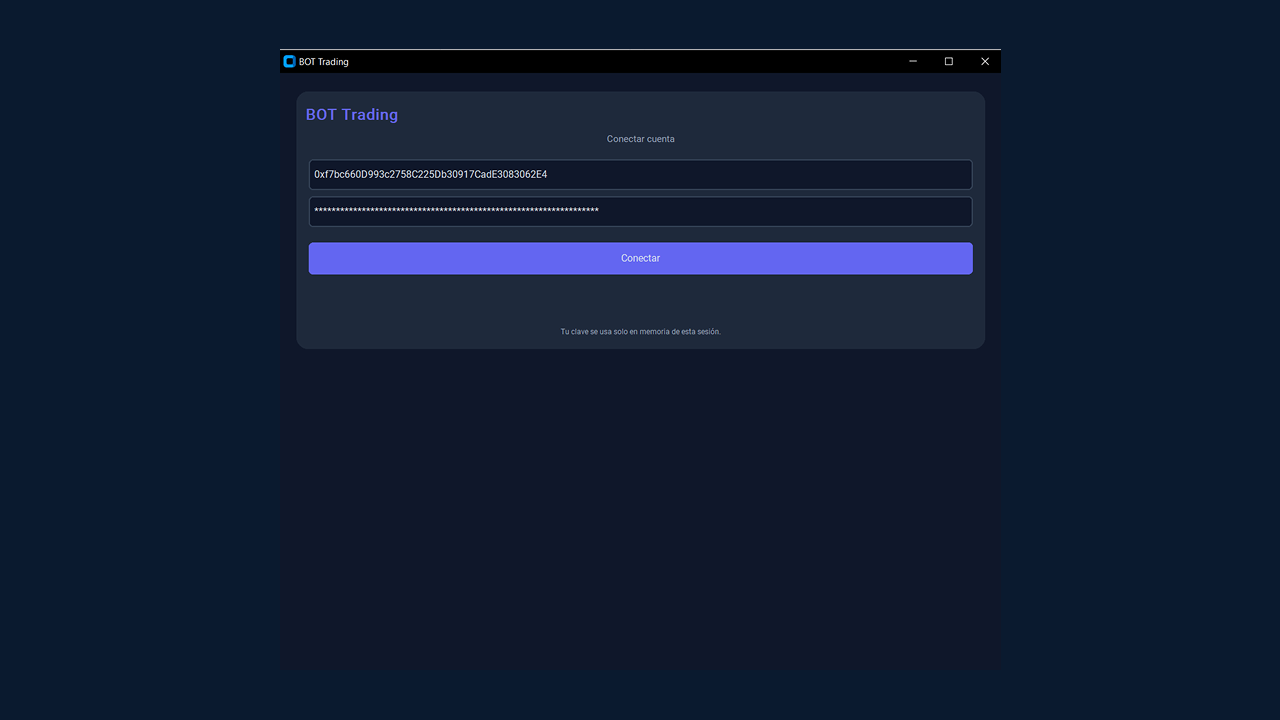
Bot linking
Enter your wallet address and Private Key.
04. Main interface and functions
Hyperliquid bot interface brings together all the essential tools for trading: balance, limit orders, daily performance, and trade monitoring. Explore the carousel to see each of its sections.
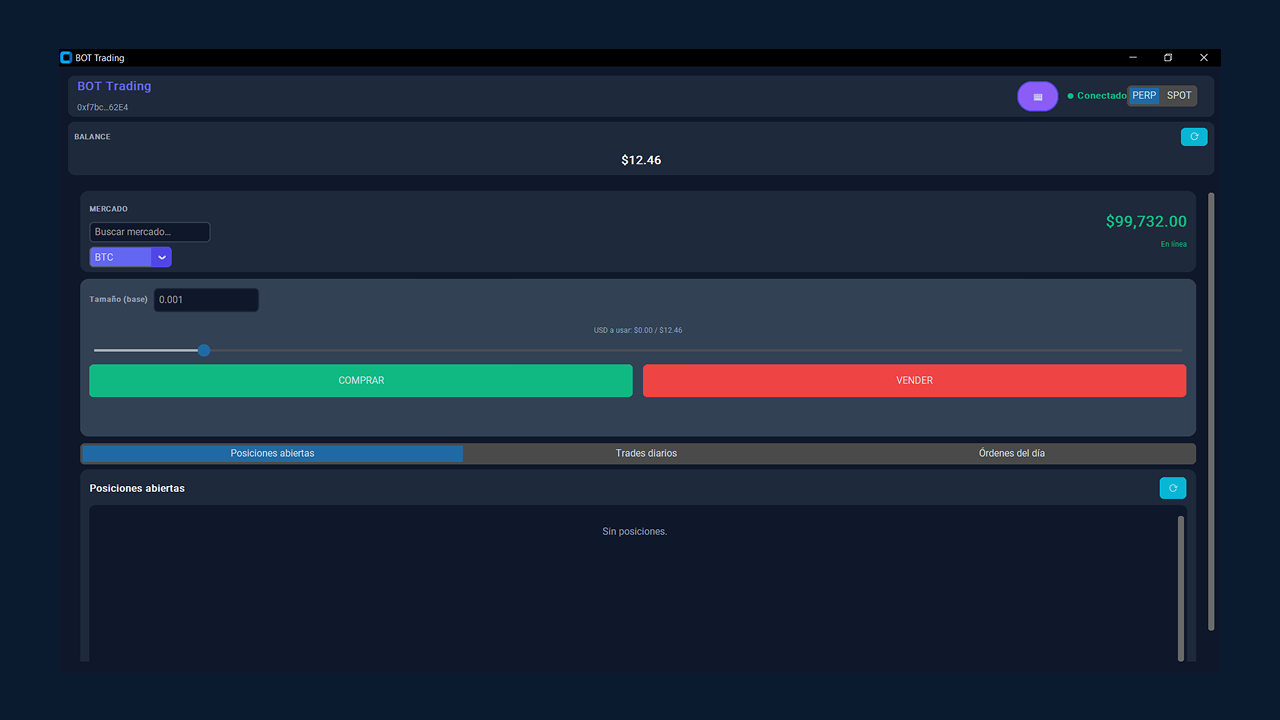
4.1 Overview of the panel
Main panel of the bot showing balance, PnL, and available markets.
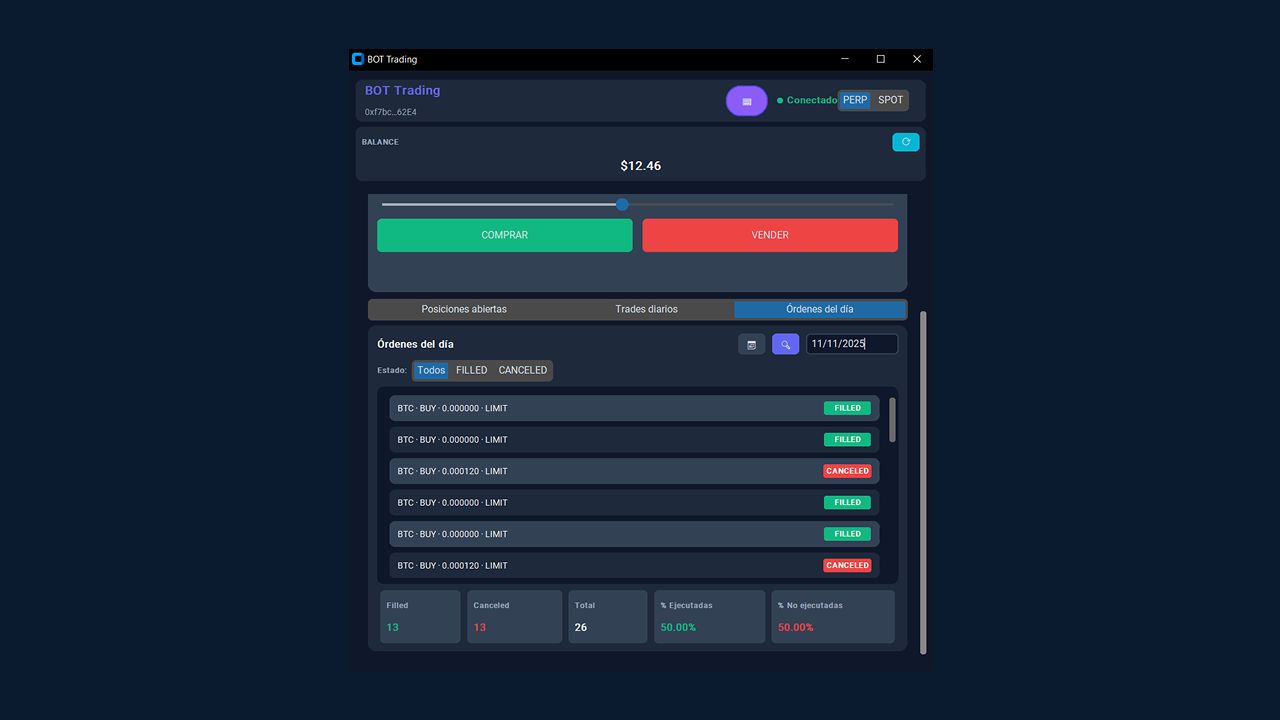
4.2 Orders of the day
List of completed and pending transactions, grouped by date.
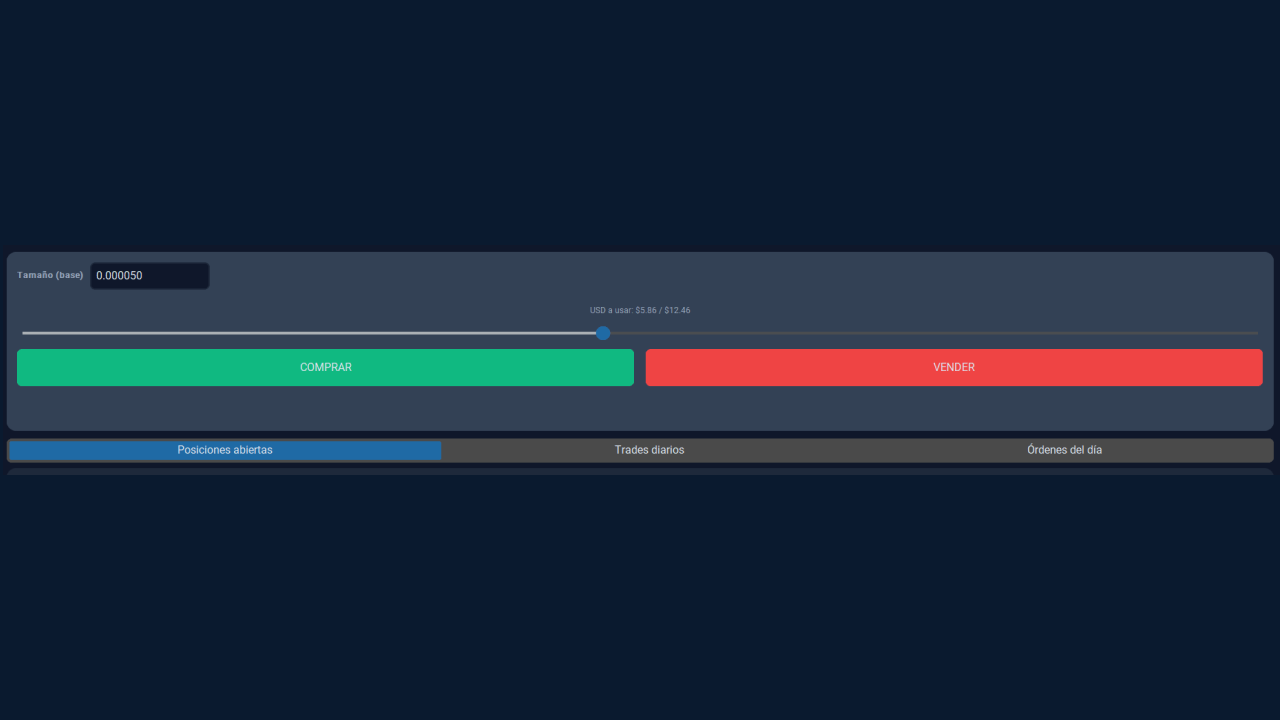
4.3 Control of percentage of capital
Adjust the percentage of your balance that will be used for each limit order.
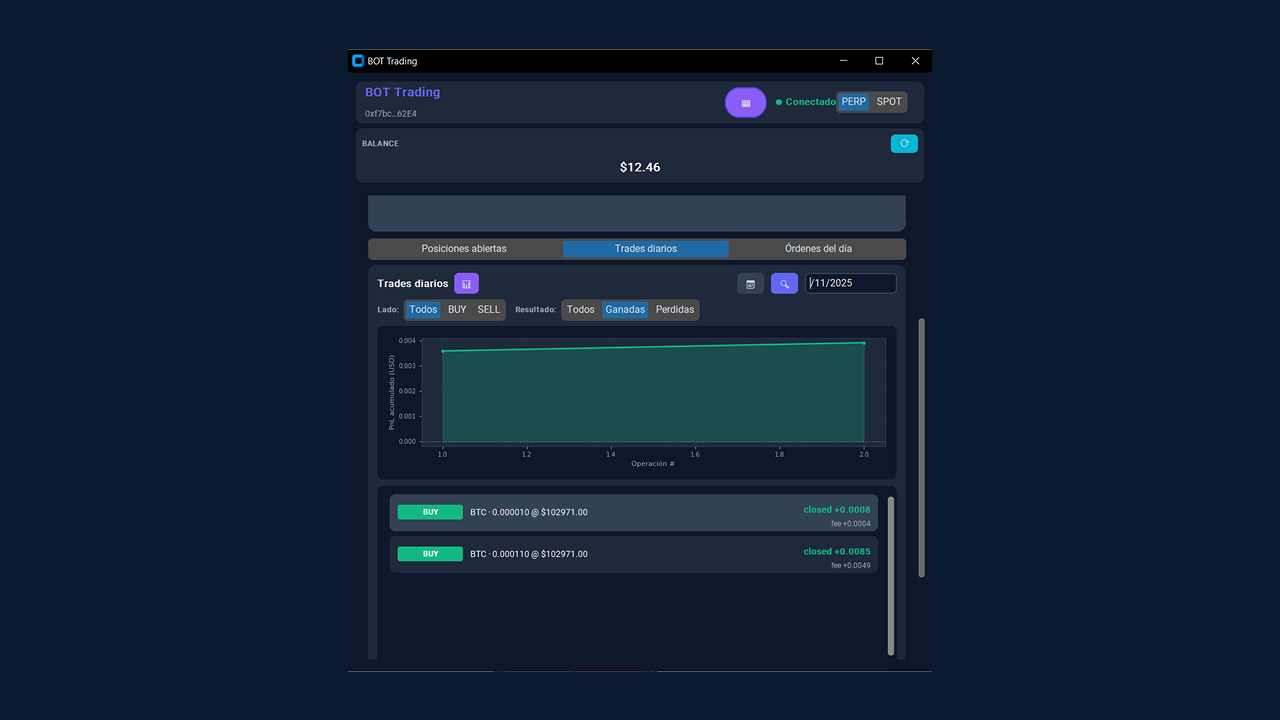
4.4 Daily performance chart
View your daily profits and losses with real-time updates.
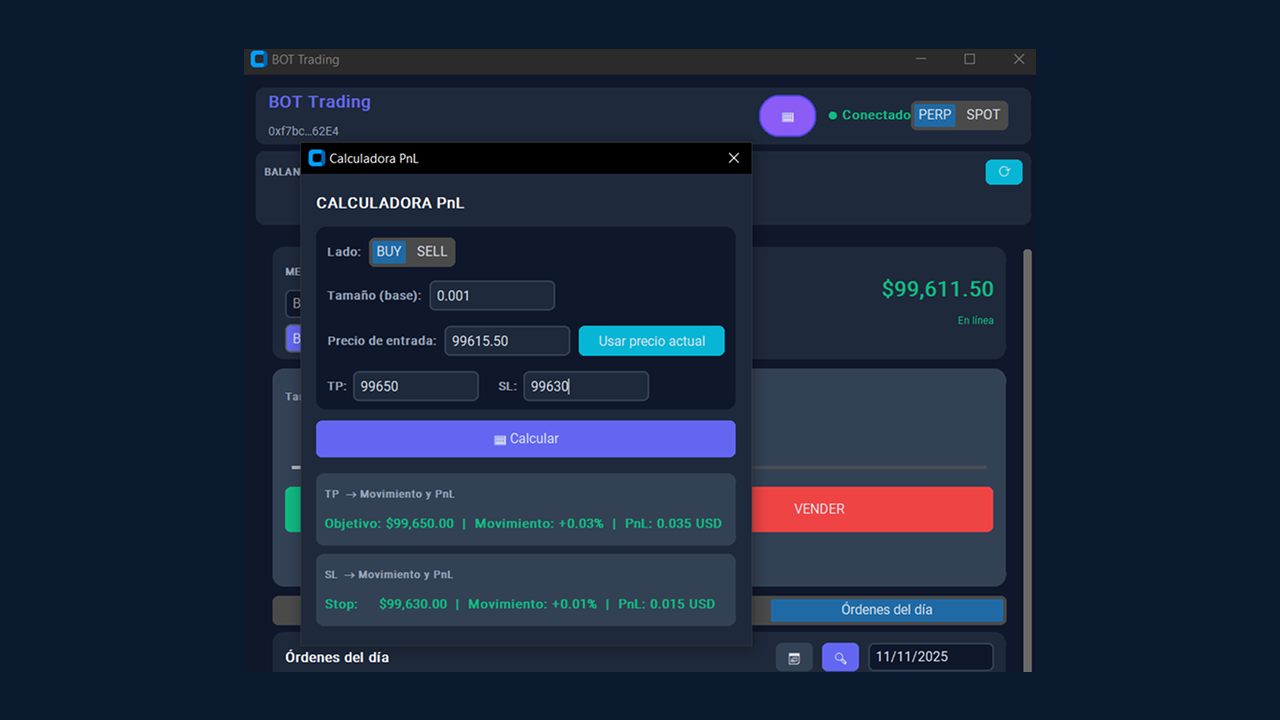
4.5 Integrated PnL calculator
Calculate profits or losses before placing any orders.
05. Send LIMIT orders
Send LIMIT buy or sell orders with complete precision. Adjust the trade size with the slider and select the percentage of your available capital. The bot will automatically place the order close to the market price, maximizing efficiency and control.
Select the market pair from the main list.
Define whether it will be a buy (Long) or sell (Short).
Use the slider to choose the balance percentage to use.
Press Place Order to execute the operation.
LIMIT order panel
Visual example of automatic LIMIT order submission in Hyperliquid.
You can now trade with Zerofeex on Hyperliquid.
Check your API connection periodically and keep the bot version up to date for optimal performance.